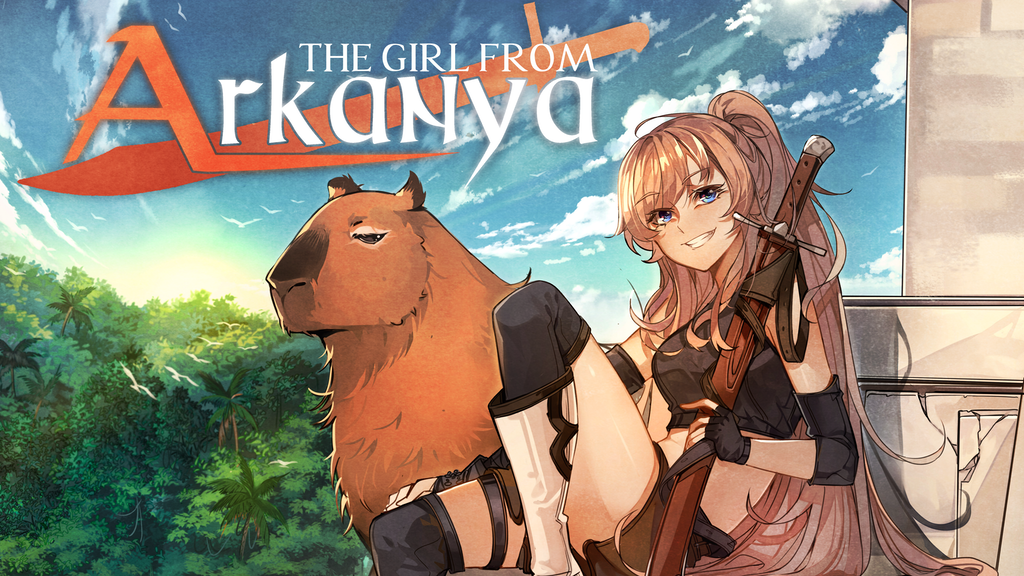
The Girl from Arkanya | A pixel art treasure hunting RPG
Created by Arkanya Games
A top-down, 2D action RPG following the journey of an ambitious young treasure hunter and her capybara companion.
Latest Updates from Our Project:
October update: What's been happening the last two months (It's a lot!)
almost 5 years ago
– Thu, Oct 28, 2021 at 08:22:06 AM
Hello! It's that time once again! Or rather, it's been that time for quite awhile, hasn't it? We did not do a September update and I do apologize for that. So of course, when I logged in to Kickstarter tonight, this was the first thing I saw:
AAAAHH! That's a lot! The red bar always scares me a little. I see it and my first thought is "Oh no, they're all mad at me!" but really I should see that as 10 people who are eager to hear more about Arkanya. Also for some reason I no longer get notifications from Kickstarter. I'll be looking into that but if you left me a message and I didn't respond, please forgive me and try again! You can also DM us on discord at any time, for basically any reason.
September was a bit awkward. I hope none of you were under the impression that the team and I were vacationing. Far from it! I've been glued to Arkanya 12+ hours a day, 7 days a week for many months now, and I give the team hell if they can't keep up! However, late September rolled up on us really fast. Rob was in the middle of struggling through a new song (which I now have for you today!). Kale we can't afford to keep full-time, and she's been swamped with her other responsibilities, so she didn't have much for me. Meanwhile, I had just finished a massive new video that I'd been working on for two and a half months, that I was crazy excited to finally show you all, which was going to be our biggest and best KS update ever! And then... I was told not to release it yet. Certainly a very frustrating thing, having content that we're all very proud of and excited about, yet we can't show anyone. But we trust Top Hat Studios, and if they tell us something is best for the success of Arkanya, then that's almost certainly what we're going to do.
I probably could have scraped together some other things to show you all, but with all of my plans were in disarray and I decided instead to just keep working and give a big beefy update for October. By the way, I still can't show you that trailer in its entirety, but I have been cleared to share little bits of it, so make sure you check out the video I posted up above!
Happy Halloween!
Art by Kale E. Rion
Well, Happy Halloween in like 6 days or so! Little bit early. But you know what? I saw kids in my neighborhood out trick-or-treating with their parents on like October 10th. Now that's just ridiculous. I guess the city scheduled it to be way earlier in the month, and at like 5pm, so they'd have sunlight and good weather. First of all, who put them in charge of Halloween? And secondly, Halloween should be cold, dark, and rainy, like it is right now while I'm writing this. That's the kind of Halloween I remember! I dressed up as a different ninja from Mortal Kombat every year until I was like 12. I thought those guys were so freakin' cool, particularly Sub-Zero. It was pretty lucky for my mom that I never really grew out of that, because she made the costumes for me, and after the first year all she had to do was copy the old one but bigger and a new color. Good ol' 90's character recolors! I was learning the art of game dev from an early age, I just didn't know it yet.
Anyway, I hope everyone is enjoying Fall. Or, I suppose it'd Spring for our southern-hemisphere followers, right? It's been absolutely gorgeous here in Indiana on the days where it isn't raining nonstop. I also wanted to say how incredible it is that Kale is willing to humor me with holiday art, which she has no obligation to do but happily does month after month. Be sure to check her out on twitter if you haven't yet!
This dungeon recently got a graphical update! We also got very poor reviews for the previous boss of this dungeon from our testers, so we decided to implement and entirely new boss! He's still in the works, but here's a little screenshot of him:
His name is Alemoa. That's Arkanyan for "Oh God he's going to kill us all!"
Just FYI, that's not the actual boss room. The construction crews found asbestos in the boss room so we're keeping him in here while they clear that out.
No, but actually this boss is going to jump a lot and he needs a new arena where he can really stretch his legs out and terrorize new players. And while he's trying to smear you across the floor, here's a banger new track he'll be doing it to:
I hope we have showed by now that we are a team which highly values user feedback. And one big feedback we got from our discord community was that our fire dungeon was missing a key component: Lava.
We have 5 other dungeons which still desperately need attention, so I didn't want to spend too much time reworking this one. However, one thing this dungeon had a lot of was holes, which were rather convenient to fill with lava. Additionally, we received feedback on users not enjoying certain puzzles, and some rooms simply not having enough to do. So knocking out two birds with one stone, we filled those rooms wall to wall with lava! Speaking of birds...
As you may have noticed, the lantern item is now visible on Marisa when she has it equipped. I recently played through Minish Cap again to get back into a Zelda-y mood, and when I saw Link holding his lantern in that, I decided I really wanted Marisa to hold hers too. I hope you find that as cool as I do!
But just holding it isn't exactly a "use", huh? I mean sure, the little ring of light is nice, but as you can see here, it's not super necessary. But I really want you to use it. So here's what we did:
Hopefully it makes sense how this could be integrated into lots of different puzzle designs. Additionally, this will allow the lantern to be used offensively, though the effect for enemies burning isn't ready yet. I will try to remember it for next time, though.
Miscellaneous Updates:
As I'm currently writing this, I've taken way more time than I meant to and now its 1am the night before we're publishing this update. I had a lot more to show you than I realized, and I should have started writing this 3 days ago. So let's go ahead and really quickly move through a couple other things and cram in just a bit more before I call it a night. Also, keep an eye on our twitter and you'll see a lot of what doesn't make it into this update! https://twitter.com/ArkanyaGame
Next, let's jump over to dungeon 2 and give a little glimpse at that boss:
No sound though. The sound is a spoiler, believe it or not. So this bad boy is Aete, and he's got some pretty heavy armor, meaning you're not going to do much damage to him unless he exposes himself to be attacked. Fortunately, this dungeon gives you the Wave Ribbon, allowing you to dash in for quick damage, then dash back out before he slams his claws down! Aete heavily telegraphs all of his attacks, so you can use your speed to beat his strength!
I can't remember if I've shown you all this before, but Ari is going to demonstrate a relatively new mechanic we've introduced. It's like if you crossed the Lens of Truth from Zelda with Zelda's Lullaby. The Lunar Dance is used to reveal hidden secrets within Arkanya, like you'll see here:
It also changes the time to night, which might be more handy than you'd think!
Here's the entrance to a forest area which is just about to be finished up. Look out for more footage of that on twitter in the next week!
It might be a little hard to tell with the lighting in this pic, but the way shadows appear under these "tree blobs" (big groups of trees smushed together) has been updated to be a lot more consistent and generally look better.
And then lastly, I wanted to mention that we're currently tuning knockback to be snappier and less floaty-feeling based on user feedback. Indira here is helping me test that, and letting me whack her with my sword while we turn the knobs and try to get it just right. We'll also be trying to improve the feeling of hitting an enemy, tuning things like camera shake and impact audio until the combat feels crisp and punchy.
As you might have guessed from the clip, Marisa and Indira are using two different settings for knockback right now. When Marisa knocks Indira back, Indira moves at the same speed until she stops. When Indira knocks Marisa back, however, Marisa does more of a "bounce", with her speed starting at zero and rapidly increasing to max, then gradually tapering back down to 0. This is tricky to get exactly perfect, but I believe the bouncy knockback feels much better than the flat knockback.
Oh, and don't worry about Indira's safety too much. Unspeakable acts of violence is her middle name. It's a pretty long name.
Check out Shrine's Legacy, live now on Kickstarter!
Well, it happened again! Our friends at Positive Concept Games sent us a playable game build, and their Kickstarter lined up with our newsletter, so I get to do another review!
Shrine's Legacy is a retro-style action RPG reminiscent of Secret of Mana. Which honestly is a game I never played, but I know a lot of you really love it! And much like Arkanya, after the intro you will meet a companion which can be played in co-op mode!
I'm a sucker for partnerships that start with both characters hating each other
Rob and I played through quite a bit of the game together, and I highly recommend you bring a friend for this. Shrine's Legacy is a good solo experience, but it's an amazing multiplayer one!
There's also a pretty interesting magic system which allows you to wield different elements you unlock along the way. Each element serves a different purpose in both combat and puzzle-solving, meaning your utility skills are also your damage skills!
Shrine's Legacy is also a game that does a stellar job of hiding little secret events around the world, and making sure you get that big dopamine hit every time you find one. I don't want to spoil too much, but after I talked to ol' green shirt here, I then had to poke around every single corner and talk to every NPC to make sure I didn't miss a single thing!
Oh hey, that's same power I use to write all our engine code
Woah, and this is how I recruited Rob to the team! This game really gets us.
This is actually far from the first time I've gone hands-on with Shrine's Legacy, and it's been really incredible to see just how fast the game has grown. I'm actually pretty jealous. Every time I check in on it, there's tons of new bits and pieces that have been added.
I'm pretty sure the first time I ever talked to the devs, I told them that they were being way too ambitious for their first project. Because they asked for my honest opinion. I promise I don't go around just telling random game devs that. Anyway, since then they seem to be determined to prove me wrong, and the results definitely speak for themselves!
It's hard for me to really express this with just pictures, but the game is big. The free demo alone takes about 2 hours to clear. Not bad, huh?
For reference, the demo felt like it explored about 1/8th of this map. And Rob and I didn't even see everything there was to see in that! You really have to dig if you want to squeeze every last drop of content out of Shrine's Legacy.
The story is a little goofy, but certainly not in a bad way. The devs clearly have a strong love for the good ol' campy 90s RPGs, and Shrine's Legacy feels like it came straight out of that era.
There's just something about collecting shiny rocks that really makes a retro RPG
Thank you for continuing to follow us on this journey.
Before I go, I want to share a few more thoughts with you all. Development for The Girl from Arkanya has certainly been a massive challenge, but it would have been downright impossible without the tremendous support you've all given us over the last year, and in some cases even before that. I think we probably don't say often enough how truly grateful we are that you've given us the chance to work on this project we love. There's certainly a lot for me to worry about these days, but the only worry that has ever kept me up at night is thinking that you might become frustrated or disappointed with us.
I do have to wonder if we maybe damaged the trust we've been given a little bit by not releasing our usual update last month. Since then I've thought about it a lot, and I've realized that part of what our backers paid for was to get a window into the development of a game which they'll be able to play some day. Really, to be able to experience that development alongside us. So I will try to do better when it comes to keeping you all in the loop, even if I can't make it flashy and exciting, as was the case last month.
And it's not going to always be the most exciting thing ever, to be quite honest. For example, last month a huge amount of my time went into completing Arkanya's saving/loading system. How the heck do I show that in a kickstarter update? But maybe you'd all still like to hear about it, and if not, you can always keep scrolling. That's what our discord users do, and we have a great time in there.
Well then, thank you all once again, both for your continued support of Arkanya, and for making it all the way to the end of this update! I will be back again next month, hopefully with some very exciting new things to show you (a brand-new dungeon, perhaps?) But either way, I also have a back-up plan I think some of you will find very interesting, especially those of you who use or would like to use Unity. I can't promise which one it'll be yet.
So please have a wonderful Halloween, and I will see you next time!
-BeanBandit, Arkanya dev
August Update: Trailer teasers and a new merch preview!
about 5 years ago
– Wed, Aug 25, 2021 at 04:18:19 AM
Hello again my friends! I have a lot of cool stuff to show off today but no real plan for how I'm going to do this, so let's just wing it!
Woah! A new-ish song! This one is actually months old but due to a miscommunication between Rob and I, it never hit Youtube. I think some of you heard this one before, but here it is again!
To go with it, here's a tiny little preview of the battle with Captain Rafael Fidalgo Diaz de Castilla:
Now listen, real talk for a minute. I still can't show you the trailer. That's a direct order from the suits upstairs. Upstairs in this case is actually in New York.
"But boss!" I pleaded, "These people are our biggest fans! They've already bought the game! They deserve more!"
And because I did my most annoying whining voice for long enough, eventually they caved. I have been cleared to share a few more clips from the trailer!
I included the sound on these first two, but please keep in mind that we're still fine-tuning the audio! Some of these sounds and voices will be tweaked and adjusted before the full release.
Unfortunately I'm supposed to keep the coolest clips a closely guarded secret. Something about maximizing the marketing impact, I guess. I would literally show all of you every single thing in the game right this moment if I was allowed to, but the rest of the team knows where I live.
I think I'm going to end this update by going through the game files and getting some screenshots of some newer but non-spoilery assets we've introduced lately. Seems like fun. But first, I need to show you some new art from our highly talented artist, Kale!
A huge number of you backed at tiers that included the sticker pack, and we've finally completed the design for one of the stickers. And I can give some info about them too! We are currently looking at 4in x 6in sheets of water-resistant vinyl stickers. You can put these on windows, computer cases, laptops, etc. The website even recommends car bumpers, though I can tell you from personal experience that they fade in the sun after a couple years.
Kale and I are still discussing the details of the remaining designs, but let me know in the comments what you would rather have: 3-4 big stickers, or 6-8 small ones.
So with that out of the way, here's a few screenshots of what we've been up to in the land of Arkanya:
Here's a part of the overworld map we just wrapped up. Its funny because I can show you this place, but I can't say it's name without spoiling a big part of the story...
Next we have the err... infamous Puruguard. These warrior capybara stand watch over the realm of Puru Puru, and are fiercely loyal to King Oli. Their actual combat abilities are rather dubious, however.
Speaking of King Oli, he's gotten a little upgrade. He now sports a crown made of melon, and his prized melon treasury behind him.
Watch out for Bushkins!
Decorations for the Arkanya Volksfest are coming together nicely
And lastly for now, Renzo's brother Enzo now has his own shop in the Treasure Hunter's Guild!
Thanks for sticking with me all the way to the end! I cannot make any solid promises on when the full trailer will release or when the Steam page will be available, but we're looking at mid-September right now. There will be a kickstarter update to go with it, so we'll definitely make sure you know!
Thank you all so much and I'll see you next time!
~BeanBandit, Arkanya dev
July Update: It's a short one!
about 5 years ago
– Fri, Jul 30, 2021 at 05:27:07 PM
Hey folks! Sorry for the wait. Things have been chaotic over here and time is relentless. Could we all collectively pretend its still January? That would be great.
Anyway, guess what happened on July 3rd? That's right, a hard drive failed with no backup!
Coincidentally, we got this art that accurately described our feelings just days earlier
I wish I could say that was the worst thing that happened to me that particular day, but honestly it probably ranks 2nd or 3rd worst. It seems like all of my bad luck likes to save up for a long time and then unload all at once. Life is funny like that.
Anyway, you're probably wondering what was on the hard drive, right? Well, the main thing was the footage I'd recorded for the trailer. Oops! That's a bit of a setback. The rest was mostly personal stuff, aside from some templates I'd made for faster youtube/twitter uploads.
Ultimately it took about a week and a half to get back to where we were, including a two-day break Rob and Kale forced me to take because they worry too much about me.
Art by DakotaDraws
The good news is that though we're a little behind our intended schedule on the trailer, we are pretty darn close to completion. The big bummer though is that we missed our publisher's original timetable for their big marketing push, and now they're asking us to keep the trailer under wraps until our turn comes around again.
Imagine having this thing you're so proud of, you want to show the whole world RIGHT NOW, but you'll ruin everything if you do. But they're the experts, and I'm in no position to argue.
For those unfamiliar with video game publishing, publishers usually juggle multiple, sometimes several projects at once, and ours likes to focus all their marketing energy on one project at a time for best results. Because we missed our slot, now we have to wait for a new slot. We'll be discussing the new time for that with them soon. It will most likely coincide with the creation of our Steam page so we can drive traffic there.
However, I did not come here empty-handed. Today I have some screenshots to share! And next time (I'll try to make it earlier in the month) I'll bring some clips of the trailer, plus another song! Maybe two if Rob will let me.
That's all for today! See you soon!
~BeanBandit, Arkanya dev
June Update: Sorry for the wait! Let's talk trailers!
over 5 years ago
– Wed, Jun 30, 2021 at 11:54:29 AM
Hey hey! Hope you're all having a pleasant Monday! We're running a little late on the update for this month, huh? Thanks for your patience, we've been grinding hard this month and there just wasn't ever a really good time for the update until today. I don't know if this is going to be a short update or a long one because I only have one topic to talk about, but I have a lot to say on that topic so I guess we'll see how it goes!
Fan art by Clozy, with Marisa dressed as Soleil from Fire Emblem Fates, and Kapi as a hybrid of a capybara and a moogle. No it doesn't make sense but we love everything about it!
Before we dive in, I want to thank everyone who gave feedback on our last update. That tutorial was a lot more work to make than I expected but I loved the response we got from it. Some of you were apparently even shocked that we were being so open about how our game works under the hood, but I really enjoy doing show-and-tell like that. If you have a request for a future update, let me know in the comments! It doesn't even need to be programming-related, necessarily. We can talk about world-building, characters, art, music, Unity tips, whatever you folks want really. News is going to become scarcer until we get much closer to launch, but I still want to talk to you every month so let me know what topics I should cover!
The one topic for today is of course our release trailer, which we are deep in right now. I think when I wrote our last update I mentioned we were just about to start on the trailer, so you might be a bit surprised we're still working on it. Well, a lot of the content in the trailer is being created the same day it's being recorded, which is what's really slowing us down. That's because, due to our development process, much of the game has sat in an unfinished/unpolished state for long amounts of time. Basically we get something working, then we move on. But you obviously don't want unpolished art or animations in your trailer, so everything that is in the trailer needed to be done. This unfortunately means that this trailer is taking much, much longer than the first trailer we did, but it also means that those things are done for the final game as well, so it's not all bad.
Going back and updating all of this old art en masse can be pretty tiring but it's also honestly very exciting. It's been a great opportunity to really see how I've grown as a pixel artist, and there's a lot of satisfaction in that. A few characters have gotten big makeovers, including our starlight princess Ari who got some new hair because wow was it bad before...
I had absolutely zero pixel art experience when we began production, and sometimes it really shows in the old stuff. Honestly I look back at our first trailer and wonder why any of you even pledged, so thank you again for believing in us.
Alright let's see... I guess you probably would like to actually see some trailer footage, right? We do have about 25 seconds of it done. Unfortunately we don't work on it in a linear manner, so it's not 25 seconds consecutive seconds. Here's a clip I really love though:
I hope you all enjoy that more than our twitter followers did! I think most of them just saw the logo at the beginning and didn't realize it was a video >.<
Here's another scene, although this one doesn't have audio at the moment:
I used to dabble in video production in my prior occupation so while I'm mostly self-trained, I'm no stranger to making stuff like this. Rob and I like to work a little backwards on these. We started off by recording all of the dialogue for each of the three characters appearing in the trailer.
I know those links look broken, but the play button should still work. It's because they're audio-only, which kickstarter apparently dislikes. Also Rob wanted me to make sure you knew that the song isn't finished, and there will be some subtle but important changes to the final version.
After Rob sent me the song back, I began storyboarding out the video based on the flow of the song, which leaves us about where we are right now!
We're really going all-out on this trailer since this will be the face of Arkanya for perhaps years to come, so we're looking to hopefully have it ready by late July. Around that same time we'll be launching our Steam page, and we hope you'll all go wishlist us! I know you've all already bought the game, but wishlisting is free and it really helps us out, so we'd greatly appreciate it! We'll let you know more in July if we can.
Well this was not supposed to be a long update and I really need to get back to video editing so I'm going to cut this short. I'll tell you everything you ever wanted to know and more about making a trailer once it's actually done. For now, here's a cute sketch of Marisa waking up and getting dressed for some treasure hunting:
Aaaaaand I did promise I'd talk about our friend Konitama who is just blowing up Kickstarter right now with his new project, Cloudscape!
Now I didn't get to play this one yet, which is an absolute shame because I want it bad. But I've watched the video like six times, and boy am I hyped.
So my first impression is top-down Starbound which is awesome because I was all about Starbound but side-scrollers aren't really my cup of tea. Now why do I draw that comparison? Well, we've got multiple explorable "worlds" with a strong visual diversity:
There's an emphasis on exploring and resource gathering:
And you can reshape the landscape around you to your heart's desire:
It's a procedurally generated survival game, and what does every good survival game need? That's right, agriculture!
aaaaaaaaand...
Dogs.
Look at that good boy!
I understand there's also a dating element similar to Stardew Valley, but I don't have a lot of details on that. Like I said, haven't yet had the privilege of playing this one. But you should absolutely go check out the kickstarter page for yourself at the very least because as far as Kickstarter pages go, this one is beautifully crafted. This is a shining example of how a KS page should look, do yourself a favor and just scroll through it for a minute.
Alright, well that's what I got today! It's back to the ol' pixel mines for me, so I hope you all have a wonderful day and I will see you next time!
-BeanBandit, lead Arkanya dev
How the lighting in Arkanya is made, plus new music!
over 5 years ago
– Sat, May 29, 2021 at 06:35:34 PM
Hello again, Harrison a.k.a. BeanBandit here and as I think I mentioned last time, this is going to be our longest update yet, due to the nature of what it's about. Speaking of last time, I want to thank you all for showing tremendous support to our friend Ivan with Elementallis, who is sitting at around 300% funding as of the time I'm writing this.
The developer of Elementallis actually helped me a great deal in creating what I'm going to be talking about today in my first ever Unity tutorial, covering how the Arkanya lighting system works. For now though I have to let Rob talk about his music because he was going to get mad if I stuck him at the end of a six page tutorial. Go figure.
New music w/ Rob commentary
Hey guys! Rob checking in for just the music part of this update! We've got some new tracks for you! The first is called "Containment Breach" and is our 4th or 5th dungeon's theme! (order is dependent on which one the player finds/does first) Harrison wanted an alarm to be playing for most of this dungeon, as its one of our more secretive tech-themed dungeons. I told him that I didn't want to have just a random alarm playing, lets integrate the alarm into the theme! I'm pretty critical of my own work, but Harrison was pretty stoked on this one so I hope you guys share that sentiment. How is there a digital alarm in the mid-1100s? Well, you'll have to play the game to find out!
(Bean note: Or you can just come to our discord and ask me, I'm bad at secrets)
The second song is the theme of one of our elemental shamans, Indira "The Stormwitch." With a name like that I'm sure you can figure out which element she presides over. She's a bit of an oddity when compared to the other Marajoaran Shamans, and while we don't want to say a whole lot about the area you'll find her in, we think she's going to be a fan favorite! As you can tell, these two songs share a synth part. I'm a huge fan of throwing motifs (callbacks to other songs) wherever they make sense.
I've given you guys a bit of a high level tour on composition process before, but I haven't really talked much about my work flow. A big challenge in being in any creative position is keeping writers block away. Oneway to do this is to have a process you go through every single time you start work. My personal process is to spend 20 to 30 minutes listening to several different genres of music, typically starting with a classical suite, and ending with some metal or electronica. While I'm listening, I listen very intently for specific things I like about the songs, and keep a note of where those things are. After that I'll go back and listen to those specific parts, and try to play them on my keyboard. Very few ideas in music are truly 100% original, so doing things like this will typically keep me inspired, especially if I keep my playlist fresh with music I've never heard before. After I mess around figuring out those riffs on my keyboard, I'll typically start trying to come up with my own melodies or riffs. Sometimes purely by pressing keys as I feel for the sound I'm looking for, sometimes by starting with one of the riffs from the songs I listened to earlier, and transforming it into something completely new. For every great idea I have, I have about 100 bad ones so its important to not be discouraged if you have several misses in a row, you just have to keep trying!
Art by Clozy (https://twitter.com/ClozyOzy)
I'm not sure if that information helps any aspiring composers out there, but the important take away is that in order to keep the creative juices flowing, you should make a ritual that you ALWAYS follow prior to working. There have been days that I didn't follow through with this procedure to save time, and ended up with only sub-par ideas, or worse no usable ideas at all!
Thanks for listening to my short ramble, and now back to Harrison with some cool in game lighting magic!
-RobbySiva
Well first of all, it's certainly not magic and I'm going to ensure there's no mystery left by the time we're done here.
Lighting tutorial/showcase starts here ---------
So a multi-year journey recently came to an end when I finally managed to create the lighting system I've always dreamed of in Unity, and just in time for us to begin recording our launch trailer! How wonderful!
I have always been really into the idea of changing the color of darkness in Arkanya. If that doesn't make sense, here's a demonstration:
The black in our color palette is more of an eggplant shade, really. But Unity don't roll that way.
Total darkness in Unity will always be black, no matter what. Or so I thought.
In waltzes fellow Unity Zelda-like dev Ivan from Elementallis, with his totally not black darkness:
So I contacted him and said "Wow that's incredible, how are you doing that?" Well, Ivan is pulling a little trick here. See, what he's doing is essentially drawing a colored rectangle over the screen, and cutting out circles wherever a light should be. Very clever. His system went a lot deeper than just that, but this is a tutorial for Arkanya's lighting system specifically, so we'll just leave that there.
After a very enlightening (pun intended) conversation, I was able to recreate the Elementallis lighting system exactly within Arkanya. But I wasn't quite happy with it. You see, drawing a dark box on top of the camera and cutting holes in it had some pretty major limitations. It did an amazing job in cave-like settings, but if I tried to do something like outdoor moonlight, it just looked like the air was filled with smoke. There were also performance concerns as figuring out the position of the lights required rendering the screen twice every frame. Not ideal. And of course, I wanted to be able to use Unity's built-in lights, if possible.
So I got a hold of my pal on the Below the Stone team, who happens to be quite knowledgeable about Unity's rendering system, and he turned me on to a little property which isn't documented anywhere you'd ever find: _ShapeLightTexture0
_ShapeLightTexture0 refers to a built-in texture Unity generates which, interestingly enough, does almost exactly what Ivan was doing with his system, except it's being handled at the engine level. It's a texture that tracks how much light is effecting each pixel on the screen before rendering it. Turns out, you can access it inside of shader code. Which means we can make a custom material that reacts to light differently than normal.
This is the part where you want to start following along
This is my first time ever writing a Unity tutorial, so please forgive me if it's not great! I mean, definitely let me know what you didn't like about it so I can do better in the future, but forgive me still!
First, make an Unlit Shader Graph. I prefer visual scripting for shaders because shaders are visual things, so you want to see what they're doing in real-time, right?
This must be an UNLIT shader graph. If you do a lit shader graph, it'll apply the lighting data before the shader. We want to apply it during the shader. Name this whatever you like.
Inside the shader graph, create 3 Texture 2Ds, called MainTex, ShapeLight, and EmissiveText.
MainTex accesses the texture of whatever you apply this material to. ShapeLight, as mentioned above, is the data for the light hitting that texture. So what's EmissiveTex then? We'll have to come back to that one in a minute, but its a fun one!
Now select MainTex and look over to your right at the Graph Inspector. If it's not open, hit the "Graph Inspector" button.
It's very important that your reference box say "_MainTex". By default, it's just going to be a random blob of letters and numbers. Also check "Exposed" if its not checked already. Then, to make this easier on yourself, pick a good sample texture, one that's easy for you to see changes to. I chose Ari because she's the first texture in the browser alphabetically. Also she's super cute, so that's nice. Here she is if you want to use her to follow along!
I hope this goes without saying but please don't redistribute our game art or use it commercially.
Next select the ShapeLight texture and hop back over to the graph inspector. For this, the reference needs to say "_ShapeLightTexture0".
If Unity starts spitting out errors here, it means you didn't use an Unlit Shader Graph.
Leave the Default texture empty, or else it's going to get weird.
Now save this and let's make a material out of it.
Apply this material to... well, basically everything. Your character, your background, your objects, all of it. Anything you want to do fancy lighting with.
If you're familiar with shaders and skipped ahead a bit, at this point everything might turn blue or pink, but most likely it'll just look normal. I call this neutral lighting.
See the dark area beyond the cave wall? That's our ideal darkness color, and we want everything to match that when there's no light. This is of course specific to Arkanya, you can set it to whatever you like.
Back in our material, pull in the ShapeLight node, and attach that to a Sample Texture 2D node. Then, for the UV, you want a Screen Position node. This is going to let our material know where lights are on the screen.
Next, take the RGBA pin from your Sample Texture 2D, and run that to a Multiply node.
You want to multiply your lighting data by a Sample Texture 2D of your MainTex, as shown here. This is essentially recreating what the SpriteLit shader does, applying scene lighting data to your texture. Now let's plug these in and see what happens.
Take the result of your multiply node to the Base Color, and the Alpha (A) of your MainTex to the Alpha.
Aaaaaand...
Cool! We now essentially have created our own SpriteLit shader! But that's of course not what you came here for, so we still have some work ahead of us. By the way, if you're wondering how I got these pixel-y lights, I'm using a pixelated circle with a Sprite Light 2D. If you're not sure what that is, I recommend checking out this Brackeys video:https://youtu.be/nkgGyO9VG54 If I tried to cover 2D lights in this tutorial, this would get ridiculously long.
So first let's tackle the dark area being the wrong color. Add a Clamp node, and run your Multiply result to the In slot. For our Min, let's make a Color node and set the color to your desired darkness color. Leave the Max at 1. Now let's save and check the result.
Marvelous! But if you overlap your lights like mine, you'll notice we're still getting some blow-out in the middle, which isn't ideal. So that's our next bit to tackle.
Make a little room and add a Clamp node before you multiply the light data, and leave the Min and Max at 0 and 1. Now save and check your results!
Nice! But that still looks a little weird, right? So here's my big issue with Unity's 2D lighting system.
Let's say we have two lights, one with a value of 1, and one with a value of 3, and we overlap them. Unity has two things it can do with these:
Add: 1+3 = 4
Average: 1+3 = 2
But that's not what I want. I want Unity to use whichever light it brighter, and ignore the other one. So
Max:1+3 = 3
Unity has no way of doing this normally, so we're going to do something a little scary: We're going to make our own render pipeline.
This sounds nuts but please follow me here, it's actually way easier than you think. We're mostly just modifying the Universal Render Pipeline, but Unity doesn't allow that by default, so we need to make a copy first.
Go in to your Packages folder and find Universal RP.
Right-click that, and hit "Show in Explorer". Now close Unity. Thiswill not work with Unity open.
You should see something similar to this, a folder named com.unity.render-pipelines.universal and then @ and a number. Cut this folder out (Ctrl+X)
Now navigate a few folders up to your project's main folder, and you should see something like this
Go inside of "Packages" and paste the folder your copied (Ctrl+V). Now remove the @ and the number, so it just looks like this:
If this seems a little sketchy, fear not: What we've just done is converted a centralized package into a local one, meaning we can modify it without worrying about Unity undoing our changes. This is maybe a little advanced but it's a fairly common practice.
Now comes the easy part! So let's re-open our Unity project and let Unity register our new package.
Find the folder you just moved/renamed, and take the following path: Universal RP > Shaders > 2D
Please excuse my MS Paint arrows. I actually own photoshop but honestly I can't be bothered to open it
We're looking at these two shaders, Light2D-Point and Light2D-Shape. Open both of those up in your code editor.
In both shaders, we're looking for this chunk of code right here:
Now pay close attention, because this is the easiest change in the world and if you blink you'll miss it.
There we go, that's it. In both shaders, add "BlendOp Max" right under Cull Off. Save, and close. And now you should see something like this:
2D lighting just the way it should be!
In case you're curious, BlendOp Max is a simple function which takes two or more numbers and picks the largest value. So 1+3 = 3, to use the prior example. Now we have lights that blend in a very satisfying way.
It also has some really interesting effects when blending colors. This is part of the appeal if you ask me, but you'll want to be mindful of how different colors combo together when setting up your lights.
Now there's only one thing left to add before we've recreated the lighting system in The Girl from Arkanya!
Wegotta make stuff glow.
I've spent a lot of time being frustrated about how the Emissive property doesn't work for sprites in Unity, but I was determined to find a way around it, and very recently I did find that way.
So here's a scene in Arkanya with the lights completely turned on:
Now let's dim the lights:
And turn them off entirely:
Ancient Brazilian tech is very glowy
Isn't that the coolest? I love it. We even made Indira's eyes glow so you can tell she's staring at you in the dark. Just kind of a thing she does, don't worry too much about it. Speaking of Indira, she's going to volunteer to be our test-dummy for this.
We start with our basic sprite in your pixel editor of choice
Now on a new layer, we're going to take white and color over everything we want to glow. Save this layer alone as a separate file. Save only the glowing white parts.
Now back in Unity, go into the sprite editor for your chosen sprite and in the top left, go to "Secondary Textures"
This will open a menu in the bottom right. Add a new texture, named _EmissiveTex, and load your file with just the white pixels.
Save and close that. Now let's get back to our material. Remember that EmissiveTex property we made but never used? Time to use it! Select it and then give it the following settings:
The reference name must be _EmissiveTex, and the mode must be set to Black. This gets really weird if it's set to white.
For the default texture, I used the Arkanya Guard portrait, because while he's not nearly as cute as Ari, he's the second file when I open my file browser. Here he is if you want to use him to follow along.
Ari's had it too good for too long, so let's give her a funny head shape!
Take your MainTex again and make a new Sample Texture 2D node, then do the same with your EmissiveTex. Multiply the RGBA of the MainTex by the Alpha (A) of the EmissiveTex. This will remove all pixels from the MainTex, which do not have a color on the EmissiveTex.
Now here's the part that's really hard to explain verbally, so please pay close attention to the picture! Make a new Clamp, and for the In, use the clamp node where we set the darkness color earlier.
For the Min, use the Multiply node we just created. And for the Max, use the RGBA of your MainTex.
And then take the Out of the clamp and run it to your Base Color! What this is doing is taking your material which has been effected by light, and removing the shadows from any pixel found on the EmissiveTex, giving the illusion of glowing!
When you're done, it should look roughly like this:
And that's it! That's Arkanya's lighting! Now, if you want to have the neat bloom effects like we do, that involves post-processing, but that would be an entire tutorial just as long as this one!
If you like this sort of update, please let me know in the comments below! If you hate it... well, let me know that too! And of course if the tutorial doesn't work for you, definitely let me know that.
I cannot believe how long this got, but thank you for sticking with me. I would love to do more of these in the future, showing how Arkanya works under the hood so that fellow Zelda-like devs can have an easier time than we did, or just so curious fans can see how everything works! If you'd rather I didn't though, please say so! These updates are first and foremost for all of you, so I want to do the content that you'll enjoy.
I think next month we're doing a character showcase, depending on what is or isn't ready by then. As I said earlier, we just started work on the launch trailer, so maybe we'll do something related to that. Guess we'll see! Oh, but now I'm making this even longer. See you next time!
We use essential cookies and our own first-party analytics to run BackerKit. With your consent, we also use cookies to measure our marketing and share data with advertising partners to show you relevant ads. Accept to allow all cookies, or reject to turn off the optional ones.
Read our cookie policy.